You can use the Aggregation Pipeline Builder to format and export finished pipelines. You can export pipelines to a chosen language to use in your application.
About this Task
You can export your pipeline to the following languages:
C#
Go
Java
Node
PHP
Python
Ruby
Rust
Steps
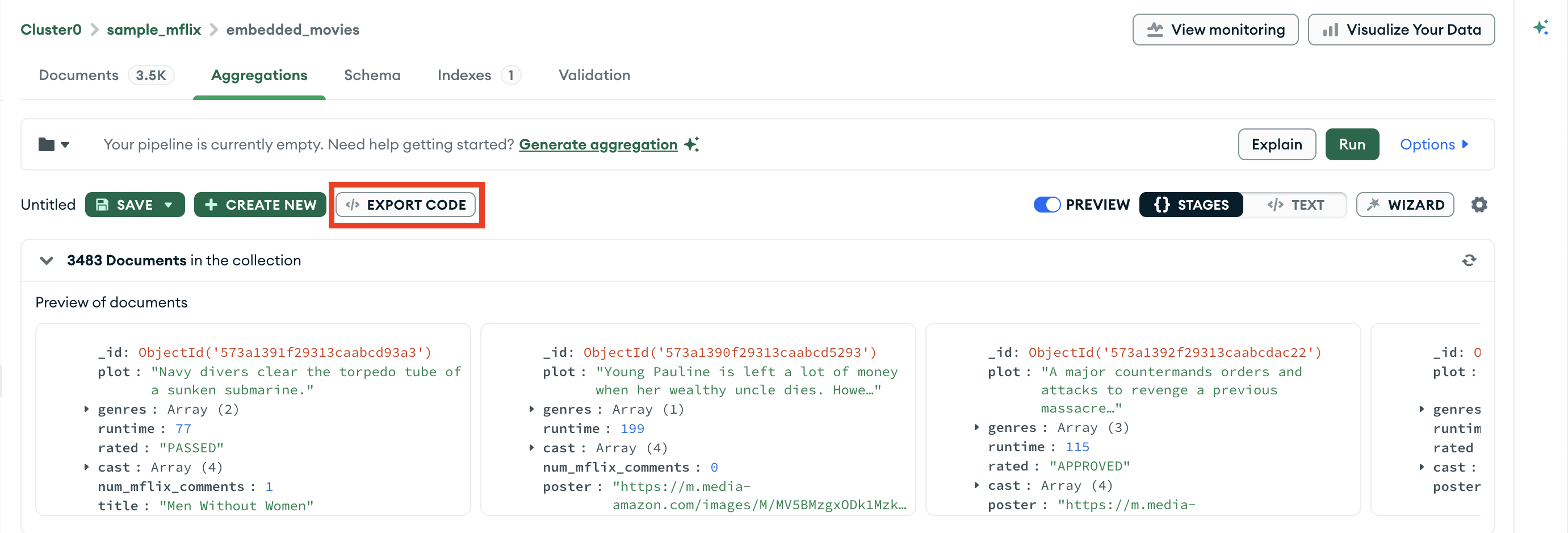
In Atlas, go to the Data Explorer page for your project.
If it's not already displayed, select the organization that contains your project from the Organizations menu in the navigation bar.
If it's not already displayed, select your project from the Projects menu in the navigation bar.
In the sidebar, click Data Explorer under the Database heading.
The Data Explorer displays.
IMPORTANT: You can also click the name of a cluster to open the Cluster sidebar, and then click Data Explorer under the Shortcuts heading.
Select your export language.
On the right side of the card, click the drop-down menu under Exported Pipeline and select your desired programming language.
The My Pipeline pane on the left of the export card displays your pipeline in mongosh syntax. The Exported Pipeline pane to the right displays your pipeline in the selected programming language.