To help you better understand the performance of your query, you can view your query's explain plan.
About This Task
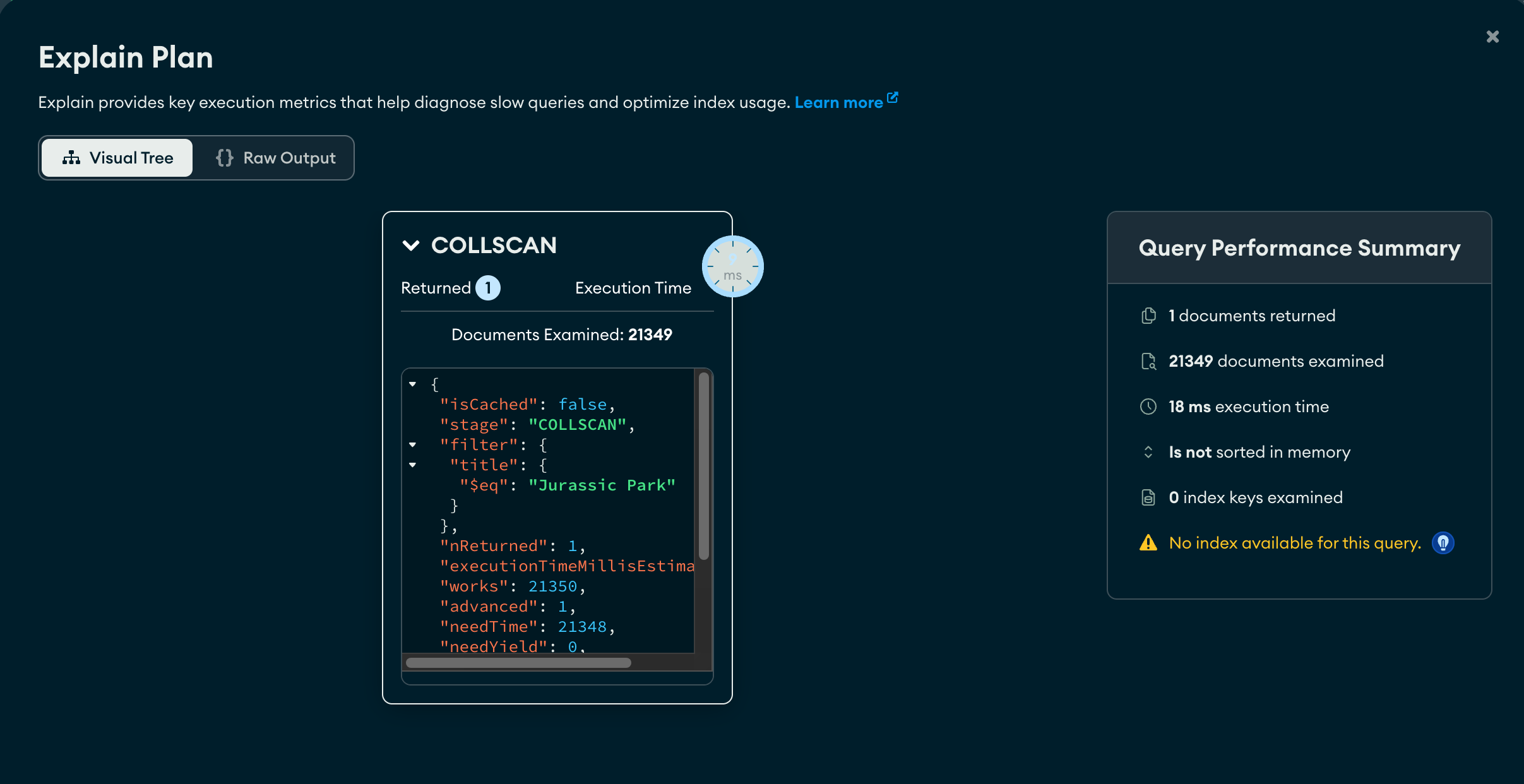
On the Explain Plan modal, you can view the explain stages as a Visual Tree, where each query operation appears as a node on the tree. You can also view the explain details in raw JSON format by selecting the Raw Output view.
Note
The explain plan includes a Query Performance Summary with information on the execution of your query such as:
Execution time
The number of returned documents
The number of examined documents
The number of examined index keys
Steps
In Atlas, go to the Data Explorer page for your project.
If it's not already displayed, select the organization that contains your project from the Organizations menu in the navigation bar.
If it's not already displayed, select your project from the Projects menu in the navigation bar.
In the sidebar, click Data Explorer under the Database heading.
The Data Explorer displays.
IMPORTANT: You can also click the name of a cluster to open the Cluster sidebar, and then click Data Explorer under the Shortcuts heading.
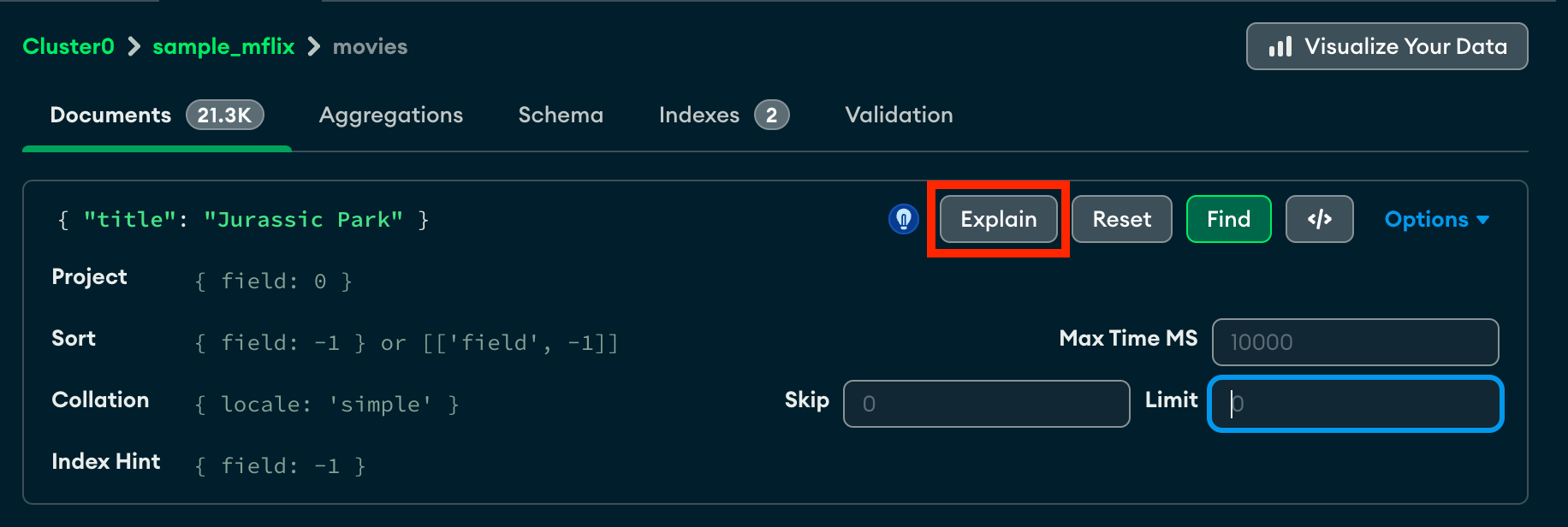
Select a query operation
By default, the explain stages are are shown as a Visual Tree. Each query operation appears as a node on the tree.
For more detailed execution information about the query operation, click the corresponding node.
For example, the following explain plan provides detailed information on a query that filters for { title : "Jurassic Park" }: