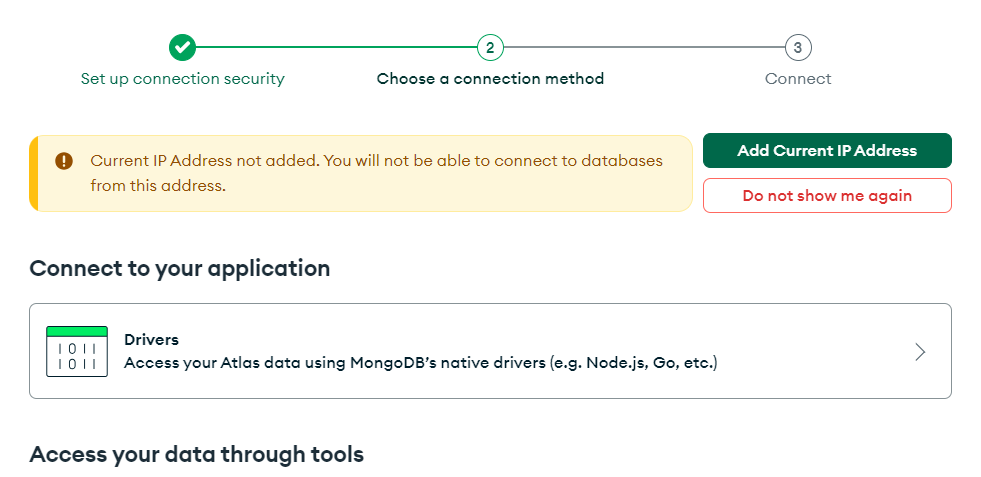
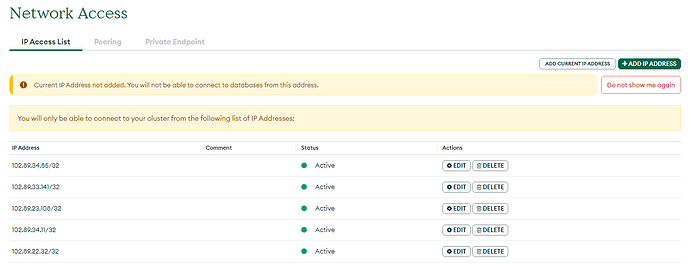
when trying to connect my database through Mongodb compass i am getting this error , any idea how to resolve it ?
2281984:error:10000438:SSL routines:OPENSSL_internal:TLSV1_ALERT_INTERNAL_ERROR:…..\third_party\boringssl\src\ssl\tls_record.cc:592:SSL alert number 80
14 Likes
I’m having the same issue
4998787232:error:10000438:SSL routines:OPENSSL_internal:TLSV1_ALERT_INTERNAL_ERROR:…/…/third_party/boringssl/src/ssl/tls_record.cc:592:SSL alert number 80
I got around it going to Network access > adding a new IP and clicking ALLOW ACCESS FROM ANYWHERE
0.0.0.0/0 (includes your current IP address)
20 Likes
You need to pick the IP address to connect
As you can see it’s asking to add the current IP address You have to pick that one, I had the same issue for the past few days, but now it’s fixed
15 Likes
Thank you so much, it was the solution.
1 Like
But it keeps showing me to add current ip address.
2 Likes
Yes I’m encountering the same issue whenever I close the compose It seems like some technical issue
1 Like
I’m glad that i could help you.
1 Like
Thankyou soo much brother i really gave up trying the solution was simple . thankyou
system
(system)
Closed
9
This topic was automatically closed 5 days after the last reply. New replies are no longer allowed.