You can use the readOnly option to prevent users from performing write
operations to your MongoDB deployment through Compass. If you enable the
readOnly option, users cannot modify documents, create indexes, or specify
validation rules.
About This Task
By default, Compass disables the readOnly option.
If the readOnly option is enabled, you cannot enable the following options:
Procedure
You can enable the readOnly option in either:
The Compass Settings panel
The command line
Warning
The readOnly option does not fully disable write operations. Instead, it
hides the UI elements that conduct write operations. You are still connected
to the shell with standard user privileges.
Compass Settings Panel
Open MongoDB Compass Settings
Click the gear icon on the left column of the Compass home screen to open MongoDB Compass Settings.

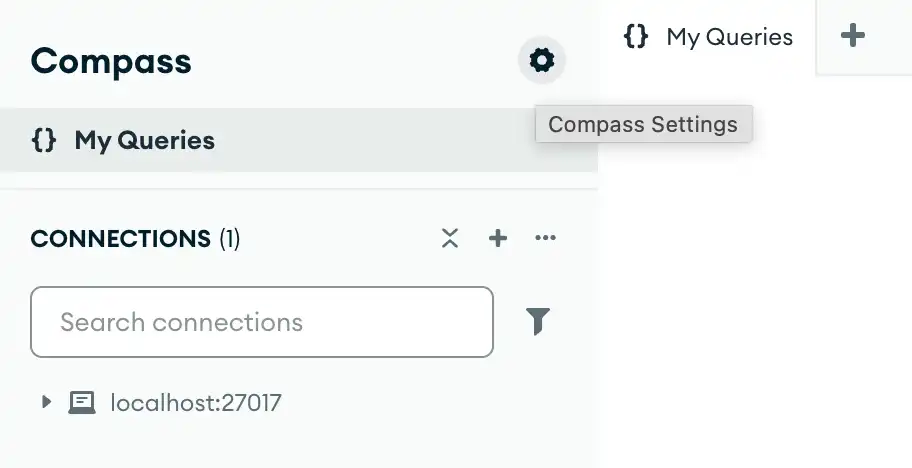
Alternatively, you can use keyboard shortcuts to open the Settings panel:
Windows / Linux:
Ctrl+,Mac:
⌘+,
Compass opens a dialog box where you can configure your MongoDB Compass settings.
Command Line
The following command starts Compass from the command line and sets
the --readOnly option:
<path-to-Compass-executable> --readOnly
Note
The name and filepath of the Compass executable depend on your operating system.
Configuration File
You can specify the Compass configuration file in either EJSON
or YAML format. The following configurations set the
readOnly option to true:
EJSON
{ "readOnly": true }
YAML
readOnly: true
Learn More
To learn more about the MongoDB Compass configuration file, see Configuration File Settings.