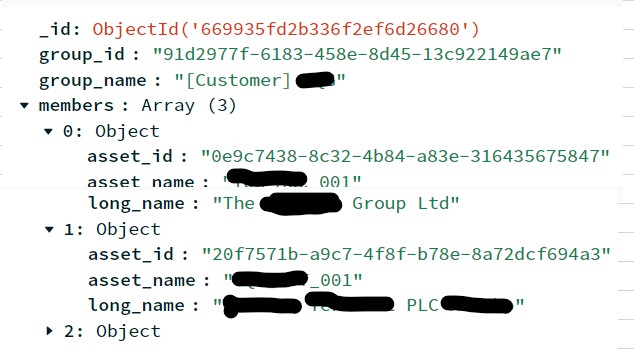
[quote=“Saibal_Dutta, post:1, topic:288952, full:true”]choiceadvantage
I have a json array as shown below, I am trying to query data with where clause in PowerBI, somehow the query is not working, any idea where am I going wrong?
"group_id": "843d01bf-e46e-41f8-e8694a3fc81c",
        "group_name": "[Customer] sample customer",
        "members": [
            {
                "asset_id": "3584b18c-9d85-3dd85ebed7b7",
                "asset_name": "sample asset",
                "long_name": "sample asset long name 1"
            },
            {
                "asset_id": "623feb17-afb2-02a79f534bed",
                "asset_name": "sample asset",
                "long_name": "sample asset long name 2"
            },
            {
                "asset_id": "a6b22d43-47fc-bde9-a16af0927ee4",
                "asset_name": "sample asset",
                "long_name": "sample asset long name3"
            }
sql query →
select * from FLATTEN(UNWIND(asset_groups WITH PATH => members, INDEX => idx)) Where members.long_name = ‘sample asset long name 1’
[/quote]
Hello,
Let’s address your query in Power BI. To filter data based on the “long_name” field within the nested “members” array, you can follow these steps:
Data Transformation:
First, ensure that your JSON data is loaded into Power BI.
Go to the Power Query Editor (Home > Edit Queries).
Expand Nested Array:
Locate the column containing your JSON data (e.g., “Column1”).
Click the expand button next to the column header to expand the nested array (in your case, “members”).
Flatten the Data:
After expanding the array, you’ll see individual rows for each member.
Use the “Flatten” option to transform the data into a flat table.
Filter Rows:
Add a custom filter to the “long_name” column.
Set the filter condition to match the desired value (e.g., “sample asset long name 1”).
Applied Steps:
Your final query should look something like this:
let
    Source = ... (your original data source),
    ExpandedMembers = Table.ExpandListColumn(Source, "members"),
    FilteredRows = Table.SelectRows(ExpandedMembers, each [long_name] = "sample asset long name 1")
in
    FilteredRows
Load Data:
Click “Close & Apply” to load the filtered data into your Power BI report.
Remember to replace … with your actual data source and column names. The key steps are expanding the nested array and filtering the rows based on the “long_name” field.
Hope this work for you.
Best regards,
Florence Gayhart